
Robertson County Arrests in the Last 24 Hours
The Robertson County Detention Facility portal includes a number-of-days control. Pick Current and enter 1. Hit submit, and the grid narrows to bookings within that span. It is a view built from the application's own records. It is not a sheriff-certified tally of every event in the prior 24 clock hours. The Admit Date is an intake field. A person can be processed before any row shows up.
Every setting lives at the same base address, and no deep link saves Days = 1. Note the date, the time, the Current or Released state, and the spelling you searched. For an urgent safety or release question, call the detention facility at 615-384-7974. Do not wait on the web.
A missing same-day row does not rule out an arrest. Processing delays, a quick release, a transfer, a citation, a spelling variance, or agency routing can all explain the gap.
How to Check Who Was Arrested Today
Go straight to the official portal. Skip copied news items and aggregator entries. The Robertson County Sheriff's Office links that numeric address, and it sits on the office's own public access path.
- Open the detention portal and select Current.
- Enter 1 in the recent-days control.
- Search the full name and compare the Admit Date.
- Use charge wording only as a secondary filter.
- Check Released and call the jail when the result is unclear.
Common names and repeat bookings need a second matching field, like age, a booking identifier, the arresting agency, or the date. For the full record and photo-request paths, turn to the county arrest hub. The official inmate grid lays out the result structure.
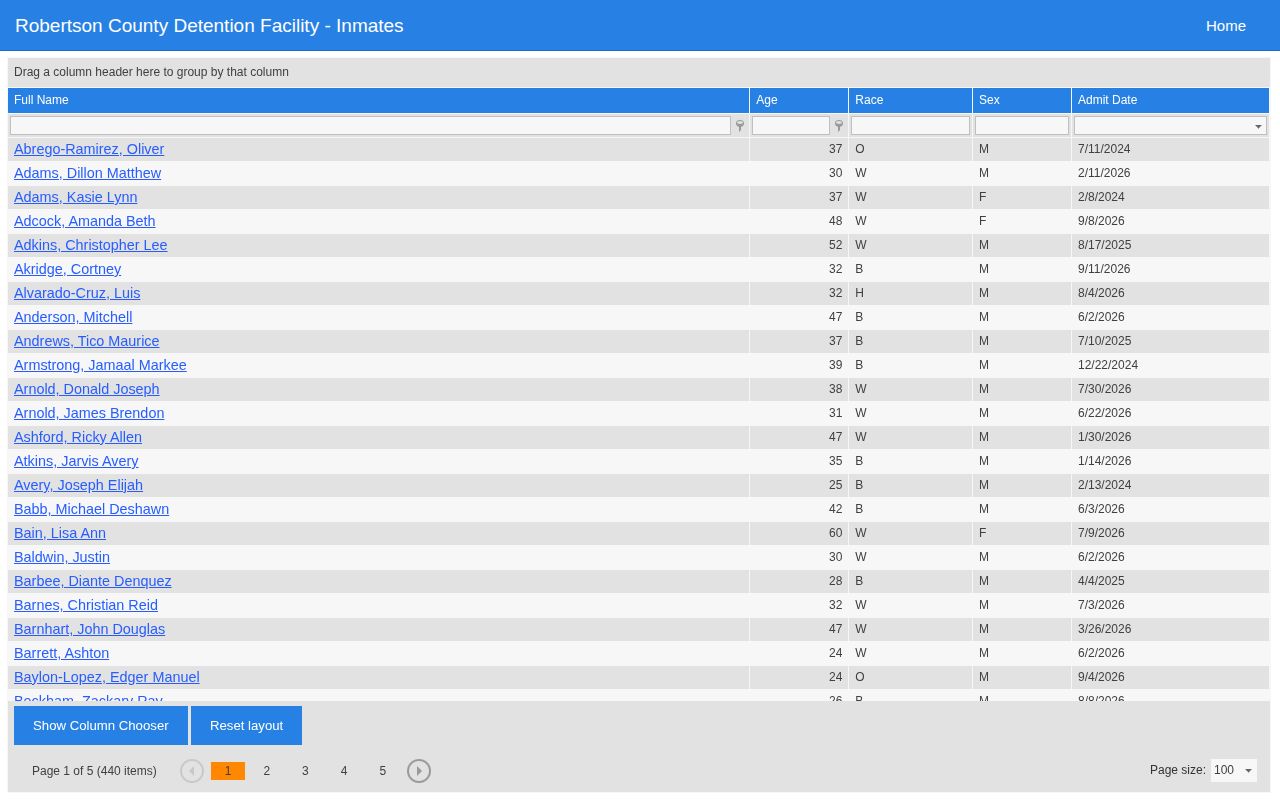
This capture documents the interface, while the live portal controls current status.
What the 24-Hour View Shows
The grid displays Full Name and Admit Date. It also offers demographic and charge-related filtering. The application is dynamic, so exact fields can shift, and the landing search state makes no clear promise of a booking photograph.
| Field | Meaning |
|---|---|
| Full Name | Name reported in the booking system |
| Admit Date | Facility intake date, not necessarily incident time |
| Current or Released | Custody view checked |
| Charge description | Charge as entered at booking |
| Booking identifier | Matching aid if the detail view supplies it |
| Photo | Only if the official source displays or releases one |
Report bond, agency, and extra identity fields only when the live result shows them. Never fill a blank field from an unofficial page.
If There Is No Same-Day View Online
Robertson County publishes no separate daily PDF and no citywide arrest bulletin. When the one-day setting fails, widen the portal window carefully. Search the Released view. Call the jail. The records offices in Springfield, White House, and Greenbrier answer questions about their own incidents. None maintains a steady daily city blotter. Use the VINELink Custody Check for one person's custody alerts and the Police Blotter for a wider multi-day view. A written request should name the person and give the approximate admit date. Include a booking number if known. State the exact record sought. The sheriff's office can confirm the current custodian, format, and fee. No booking-record fee schedule is published. The official Released grid is the key second check.
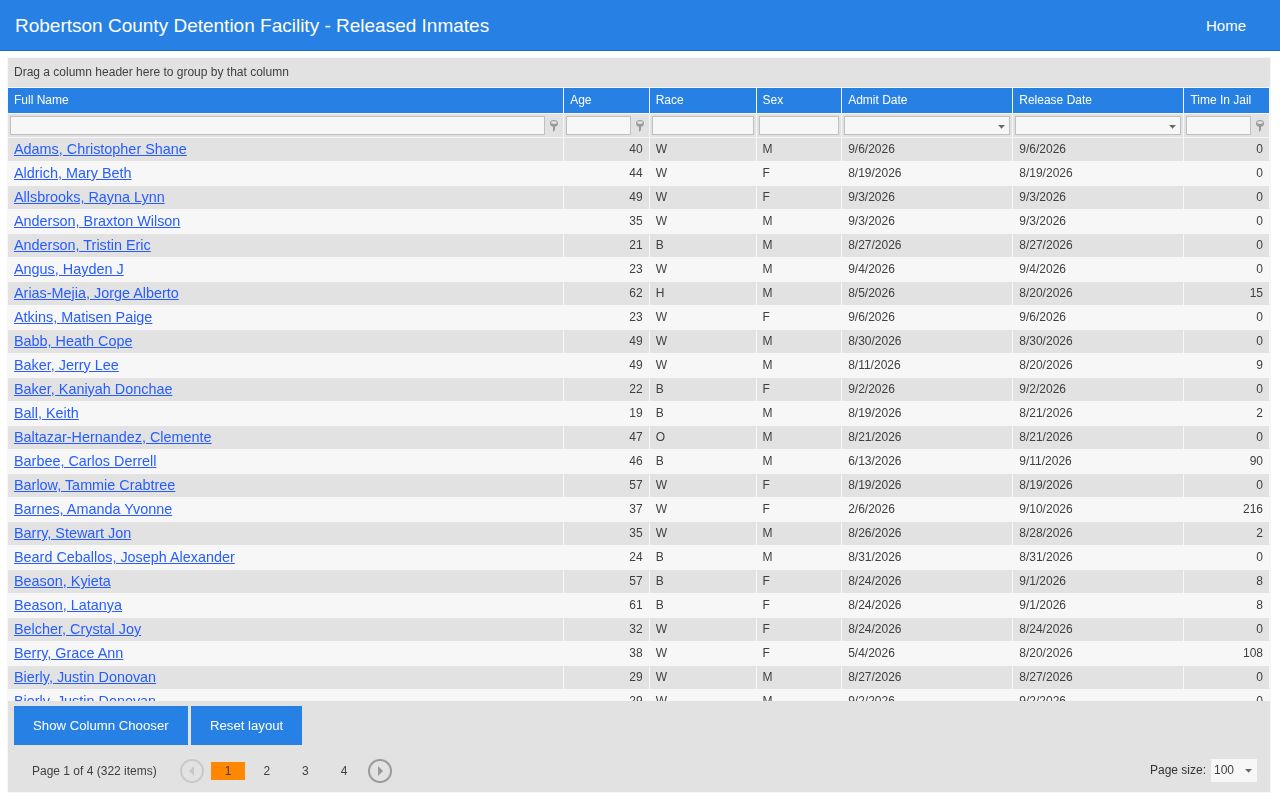
Note: A Released row records a custody event only, and it says nothing about how the charge was resolved.
Arrested Is Not Guilty
A booking proves one thing: the facility logged an admission. To see where a Robertson County case stands, search the court portal by party or case, compare dates and agency, and contact the clerk. The county warns that its online index is not a complete official record. General Sessions handles misdemeanors and preliminary stages. Circuit Court handles felony criminal cases. Release can happen while a case moves forward. A booking photograph answers neither question.
Let the court record, not a roster row, tell the story of a Robertson County charge. Court disposition is the reliable endpoint.